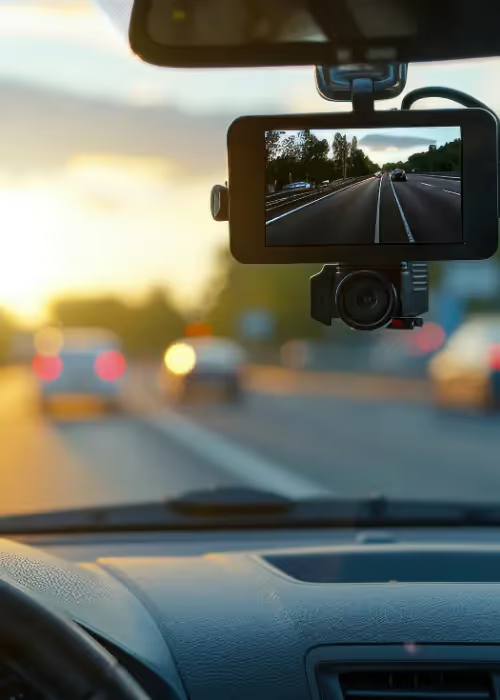
Why Your Fleet Needs Dash Cams With GPS
A dash cam with GPS records video and adds the vehicle's location, speed and time to every clip. Instead of footage alone, you get the full context of an incident, which makes it far easier to deal with claims, complaints and driver coaching.
Below, we look at how GPS dash cams work, how they differ from a vehicle tracker and how Canadian fleets are using them.
What is a GPS dash cam?
A GPS dash cam is a vehicle camera with its own GPS receiver. As it records, it logs the vehicle's position, speed and direction of travel alongside the video. When you review a clip, the footage and data appear together, usually with the route shown on a map.
A standard dash cam only captures video. Working out where an incident took place or how fast the vehicle was travelling then depends on landmarks in the footage or the driver's memory.
GPS dash cam vs vehicle tracker: do you need both?
Since both use GPS, it's easy to assume they do the same job. They don't.
A GPS dash cam records location and speed to give context to its footage. It's designed to show what happened during a particular event, like a collision or a hard braking alert.
A vehicle tracker logs location constantly, on every trip, whether anything happens or not. It powers your live map, trip history, mileage records and fleet reports.
What a GPS dash cam gives you:
- Video evidence of incidents
- Location and speed attached to each clip
- A view inside the cab with a driver-facing camera
What a vehicle tracker gives you:
- Live locations for every vehicle
- Full trip history and mileage records
- Reports on driver behaviour, idling and vehicle use
For most fleets, the answer is both. RAM's dash cams work alongside vehicle tracking, so you can see an alert on the live map, open the trip and play the footage from the same moment.
How fleets use GPS and video together
Keeping drivers on track at Hydrogreen
Hydrogreen Irrigation, an irrigation contractor in Ontario, uses RAM's vehicle tracking and AI-connected dash cams together to manage its growing fleet. President Brandon Happeney explains how the alerts work: the cameras warn drivers when they're on their phone, and he's notified when vehicles are speeding, braking excessively or revving above 5,000 RPM.
It's a good way to keep everybody in check.
The system encourages safer driving day to day while providing footage if an incident ever happens.
Resolving insurance claims
Video shows the collision. GPS data shows what the vehicle was doing in the seconds before, such as whether the driver was braking or keeping to a steady speed. Together, they give your insurer a detailed account to work from.
Answering complaints from other motorists
If your vehicles display your company name or number, other drivers know who to contact. The time and location on each clip help you find the right footage quickly, check the facts and respond with confidence.
Coaching with real examples
Connected GPS dash cams flag hard braking, rapid acceleration and sharp cornering as they happen. Every alert comes with a time, place and speed, so managers can discuss a specific moment rather than give a general warning.
What to look for in a GPS dash cam
Clear HD video and professional installation are essential for any dash cam. When it comes to GPS, check for these features.
- Built-in GPS: some cameras need a separate GPS module or antenna to record location. Look for GPS as standard.
- Speed on every clip: make sure speed is captured and shown with the footage, as well as location.
- A map view of events: viewing an incident on a map, with the route that led to it, makes reviews quicker.
- Alerts with location: connected cameras should show where an event took place as soon as you're alerted.
- A link to your tracking system: footage and tracking data work best when you can switch between them easily, rather than using separate logins.
- Clear data controls: you should be able to decide who can view footage and location data, and how long it's stored.
RAM's GPS dash cams
RAM's connected dash cams have GPS built in, so each clip carries location and speed data, and every alert shows where an event happened. Find out more about the cameras and packages on our RAM Live page. Choosing a camera for work vans? Our guide to the best dash cams for vans goes into more detail.
GPS dash cams and driver privacy
Footage and location data can identify individual drivers, so privacy needs careful thought. The Office of the Privacy Commissioner of Canada has investigated a case where a truck driver complained that his employer installed a dash camera that continuously recorded audio and video without his consent.
Before cameras go in, explain to drivers what's recorded, why and who can access it, and set this out in a written vehicle policy. If drivers use vehicles outside work, driver privacy settings on your vehicle tracking let them switch off location tracking in their own time.
Get the full story behind every incident
A GPS dash cam does more than record. It gives you the facts behind every incident, in a form that insurers, customers and drivers can trust. To see how RAM Live and vehicle tracking work together, book a demo with our team.
GPS dash cam FAQs
Do all dash cams have GPS?
No. Many dash cams only record video, and some need an extra GPS module or antenna before they can log location. RAM's connected dash cams include GPS as standard.
Can a GPS dash cam track a vehicle in real time?
Connected GPS dash cams send the vehicle's location with each alert. For a constant live view of every vehicle, a vehicle tracker is the better option, which is why RAM's dash cams work alongside fleet tracking.
Does a GPS dash cam record speed?
Yes. It records the vehicle's speed alongside the video, so you can see how fast it was travelling when an incident happened.
Will GPS data help with an insurance claim?
It can. Location and speed data add context that video can't show on its own, such as whether a vehicle was slowing down before a collision. Ask your insurer how they'd like to receive footage and data.
Do I need to tell my drivers about GPS dash cams?
Yes, it's important to be open with drivers about what's recorded, why and who can access it before cameras are installed. Setting this out in a written policy helps avoid privacy complaints later.
About the author
Richard Blown is Chief Technology Officer at RAM, where he leads product innovation and technical strategy.
With over 25 years of experience in fleet telematics and connected vehicle technology, Richard has pioneered solutions that bridge the gap between theoretical safety improvements and practical business benefits.
His hands-on approach to product development ensures RAM's solutions solve real-world problems faced by fleet operators across Canada.
Reduce costs, improve visibility, and keep your business running efficiently with RAM solutions.