Dash Cams with GPS: Why Fleets Need Video and Location Together
A dash cam with GPS records video and tags every clip with the vehicle's location, speed and time. That means you can see what happened, where it happened and how fast the vehicle was going, which makes claims, disputes and driver coaching far easier to handle.
In this guide, we explain how GPS dash cams work, how they compare with a vehicle tracker and how real fleets use them.
What is a dash cam with GPS?
A dash cam with GPS is a vehicle camera with a built-in GPS receiver. As it records, it logs the vehicle's position, speed and direction alongside the video. When you review a clip, you see the footage and the data together, often with the vehicle's route shown on a map.
A standard dash cam only records video. If you need to know where or how fast a vehicle was travelling, you're left relying on landmarks in the footage or the driver's memory.
GPS dash cam vs vehicle tracker: do you need both?
It's a common question, because both use GPS. The difference is in what each one is for.
A GPS dash cam records location and speed to give context to its video. Its job is to show what happened during a specific event, such as a collision or a harsh braking alert.
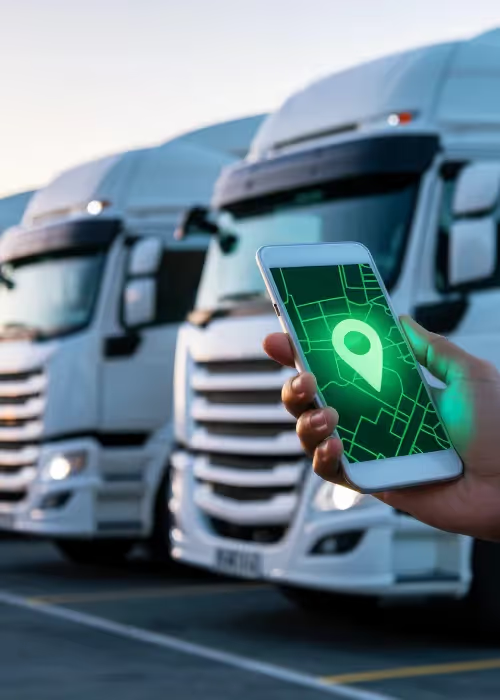
A vehicle tracker records location continuously, on every journey, whether anything happens or not. It powers your live map, journey history, mileage records and fleet reports.
What a GPS dash cam gives you:
- Video evidence of incidents
- Location and speed tied to each clip
- A view of the cab with a driver-facing camera
What a vehicle tracker gives you:
- Live locations for your whole fleet
- Full journey history and mileage records
- Reports on driver behaviour, idling and vehicle use
Most fleets get the best results using both. RAM's dash cams work alongside vehicle tracking, so you can spot an alert on the live map, open the journey and watch the footage from the same moment.
How fleets use GPS and video together
Settling insurance claims quickly
When a van belonging to Cumbria Blood Bikes was hit from behind, the charity printed a journey report showing the driver had been braking gradually before the impact. They shared it with the other driver's insurer, along with the dash cam footage. Within two hours, the insurer accepted liability and agreed to pay for the repairs.
That's the strength of combining the two. The footage shows the collision, and the GPS data shows the vehicle was being driven safely in the moments before it.
Challenging disputed collisions
Over two years, A1 On The Move faced three separate collisions where the other driver contested who was responsible. Their director says that without the video footage, it would have been difficult to prove who was at fault, and they could have ended up sharing the blame.
Answering complaints from the public
ASB Delivery Services has its phone number on every van, and used to get calls from motorists complaining about speeding or being cut off. Now, when an alert comes through, the team checks the camera, sees what happened and calls the driver straight away. They no longer receive those complaints.
Coaching drivers with real evidence
ASB has also cut its accident rate sharply. In previous years, the company had eight to ten accidents a year. Last year, it had one. Footage tied to a specific time, place and speed gives managers something concrete to discuss, rather than a general warning.
What to look for in a GPS dash cam
The basics of any good dash cam still apply, such as clear HD video and professional installation. When it comes to GPS, these are the features worth checking.
- Built-in GPS: some cameras only record location with an extra GPS module or antenna. Check that GPS is included as standard.
- Speed on every clip: make sure speed is recorded and shown alongside the footage, not just the location.
- A map view of events: being able to see an incident on a map, with the route leading up to it, makes reviews much quicker.
- Alerts with location: connected cameras should tell you where an event happened as soon as the alert comes through.
- A link with your tracking system: footage and tracking data are most useful when you can move between them easily, rather than logging in to separate systems.
- Clear data controls: you should be able to set who can view footage and location data, and how long it's kept.
If you're comparing providers, our fleet dash cam buying guide compares six UK systems side by side.
RAM's dash cams with GPS
RAM's connected dash cams have GPS built in, so every clip is tagged with location and speed, and alerts tell you where an event happened. You can find out more about the cameras and packages on our RAM Live page. If you're choosing a camera specifically for vans, our guide to the best dash cam for your van covers the options in more detail.
GPS dash cams and driver privacy
Location data and footage can both identify a driver, so they count as personal data under UK data protection law. The ICO's guidance on monitoring workers covers tracking work vehicles, and states that in most cases, workers must be told about monitoring before it starts.
In practice, that means explaining to drivers what the cameras record, why you're using them and who can see the footage. It's good practice to set this out in a driver policy before the cameras go in. If drivers use vehicles outside work, privacy switches on your vehicle tracking let them turn off location tracking in their own time. For more detail, see our guide to UK dash cam laws.
Get more from your fleet's footage
A dash cam with GPS gives you more than a recording. It gives you the facts behind every incident, in a form that insurers, customers and drivers can trust. To see how RAM Live and vehicle tracking work together, book a demo with our team.
Dash cams with GPS FAQs
Do all dash cams have GPS?
No. Many dash cams record video only, and some need a separate GPS module or antenna before they can record location. RAM's Live Alert and Live Vision packages use the Queclink CV200, which has GPS built in.
Can a GPS dash cam track a vehicle in real time?
Connected GPS dash cams send the vehicle's location with each alert. For a live view of where every vehicle is at all times, a vehicle tracker is the better tool, and RAM's dash cams work alongside fleet tracking for exactly that reason.
Does a GPS dash cam record speed?
Yes. A GPS dash cam records the vehicle's speed alongside the video, so you can see how fast it was travelling at the moment of an incident.
Will GPS data help with an insurance claim?
It can. Location and speed data add context that video alone can't show, such as whether a vehicle was braking before a collision. In the Cumbria Blood Bikes case, a journey report and dash cam footage together led the other insurer to accept liability within two hours.
Do I need to tell my drivers about GPS dash cams?
Yes. Footage and location data can identify your drivers, so UK data protection law applies. You should tell drivers what's recorded, why and who can access it before the cameras are fitted.
About the author
Richard Blown is Chief Technology Officer at RAM, where he leads product innovation and technical strategy.
With over 25 years of experience in fleet telematics and connected vehicle technology, Richard has pioneered solutions that bridge the gap between theoretical safety improvements and practical business benefits.
His hands-on approach to product development ensures RAM's solutions solve real-world problems faced by fleet operators across the UK and North America.
Reduce costs, improve visibility, and keep your business running efficiently with RAM solutions.