A Fleet Manager's Guide to Collision Management
Collisions happen, and how your team responds in the first few minutes matters more than most fleet managers realise. A driver who knows the process in theory can easily forget it when they are shaken up at the side of a road, and the gaps that creates can lead to disputed claims, missing evidence, and unnecessary cost.
Good fleet collision management starts with having a clear process before you ever need it. This guide covers what drivers should do at the scene, when to involve the police, what information needs to be collected, and how to manage the aftermath efficiently.
What Drivers Should Do Immediately After an Collision
The moments following a collision are the most important. Here is the process drivers should follow:
- Stop the vehicle as soon as it is safe to do so - failing to stop after an accident is a criminal offence regardless of how minor the collision appears.
- Switch off the engine and turn on hazard lights to alert other road users.
- Check for injuries - yourself, any passengers, and anyone in other vehicles involved.
- Call 911 immediately if anyone is injured, the collision is blocking traffic, or the vehicles cannot be moved safely off the road.
- Stay calm and do not admit fault - it is natural to want to apologize but doing so can be used against you in an insurance claim, even if you were not responsible.
- Exchange details with the other driver, including their name, contact information, driver's licence number, licence plate number, insurance company, and policy number.
- Document the scene - photograph both vehicles, any damage, road conditions, and the surrounding area before anything is moved.
- Move vehicles out of traffic if it is safe and legal to do so. This helps reduce the risk of secondary collisions and keeps traffic flowing.
If the other driver leaves the scene without exchanging information, note their licence plate number if possible and report it to the police.
When Should You Call the Police?
Not every collision requires police attendance, but drivers should call 911 immediately if:
- Anyone has been injured or killed
- The collision is blocking traffic or creating a dangerous situation
- A vehicle cannot be driven safely after the collision
- The other driver leaves the scene (a hit and run)
- You suspect impaired driving or another criminal offence
- There is significant property damage
Many states require collisions involving injuries, fatalities, or damage above a specified value to be reported to law enforcement. Reporting requirements vary by state, so fleet operators should ensure drivers understand the rules wherever they operate.
What Information Needs to Be Collected at the Scene
The more detail captured at the scene, the stronger the position your business is in when it comes to the insurance claim. Drivers should record the following before leaving:
About the incident:
- Date, time, and exact location
- A description of what happened, in the driver's own words
- Road and weather conditions at the time
About the other vehicle:
- Licence plate number, make and model
- Driver's name and contact information
- Driver's licence number
- Insurance company and policy number
- Details of any passengers
Evidence:
- Photographs of both vehicles and all visible damage
- Photographs of the scene, road markings, and any relevant signage
- Contact details of any witnesses
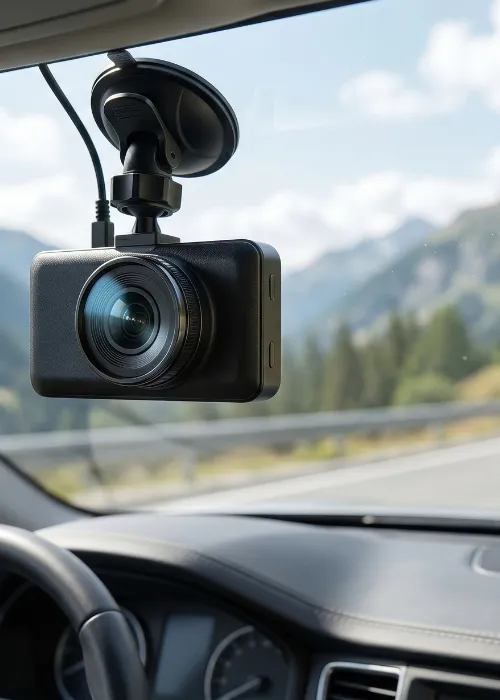
If your vehicles are fitted with dash cams, footage from the incident should be saved immediately. On connected dash cam systems, this can often be done remotely without waiting for the driver to return to base.
How RAM Handles Collision Reporting
Collecting all this information at the scene is straightforward in principle but harder in practice when a driver is stressed and dealing with an incident on the road. The RAM fleet management app takes drivers through the process step by step so nothing gets missed.
When a driver taps the accident report button, the app guides them through:
- Incident details: the type of incident, date and time, and a voice recording of their version of events
- Injuries; whether anyone has been hurt and whether emergency services are needed
- Other parties: whether another vehicle is involved and whether there are any witnesses
- Imagery: prompts to photograph their own vehicle, the other vehicle, and the surrounding scene
The vehicle registration and GPS location are pulled in automatically from the vehicle tracking system, so drivers do not need to look anything up or type information they may not have to hand. Everything is uploaded to the fleet manager instantly.
This is particularly valuable when incidents happen late at night or in remote locations, as the process works around the clock and does not depend on anyone being available in the office to receive a call.
What Fleet Managers Need to Do After an Incident
Once the driver is safe and the immediate situation is under control, the focus shifts to managing the incident from the office. Two things to address promptly:
Notify your insurer
Most commercial auto insurance policies require collisions to be reported promptly. Fleet managers should notify their insurance provider as soon as possible and retain all supporting evidence, including photographs, GPS data, dash cam footage and witness details.
Support the driver
Collisions are stressful, and how a manager responds matters. Checking in with the driver, making sure they have what they need, and debriefing the incident calmly all contribute to driver welfare and can help prevent similar incidents from happening again.
How Accurate Records Protect Your Business
Fleet operators face increasing exposure to fraudulent claims, disputed liability, staged collisions, and nuclear verdicts. GPS tracking and dash cam footage provide objective evidence that can help insurers establish exactly what happened and protect businesses from unnecessary costs.
Ecomotive Logistics, which handles over 38,000 car deliveries annually, uses RAM’s accident reporting as part of a fully digital compliance process.
If you have a fleet, it's just a very useful tool.
For a business operating at that scale, having every incident properly documented removes a layer of risk that paper-based systems simply cannot cover.
Getting Prepared Before a Collision Happens
Effective fleet collision management means having everything in place before an incident occurs. That means:
- Making sure every driver knows the steps to follow at the scene
- Having the RAM fleet management app configured so accident reporting is ready to use
- Checking that dash cam systems are recording and storage is not full
- Confirming your insurance requirements and understanding the collision reporting rules in every state where your fleet operates.
If you would like to see how RAM handles collision reporting and incident management for your fleet, book a demo and we can walk you through it.
Frequently Asked Questions
What should a driver do first after a fleet vehicle accident?
Stop the vehicle safely, switch off the engine, and turn on hazard lights. Then check for injuries and call 911 if anyone is hurt or the road is blocked. Everything else; exchanging details, photographing the scene, and completing an accident report, follows once the immediate situation is safe.
Does every fleet vehicle collision need to be reported to the police?
Not always. Reporting requirements vary by state. Police should always be contacted if someone is injured, a crime has been committed, or the collision creates a hazard. Some states also require drivers to report collisions involving damage above a specified threshold.
How does RAM make collision reporting easier for drivers?
The RAM driver app takes drivers through a structured process step by step, prompting them to record incident details, capture photos, note witness information, and submit a voice recording of their account. Their vehicle registration and GPS location are pulled in automatically, so drivers do not need to find or type that information themselves.
Can GPS data be used to defend against a false insurance claim?
Yes. GPS journey data provides an independent record of the vehicle's location, speed, and route at the time of an incident. Combined with dash cam footage, this evidence is often decisive in resolving disputed liability quickly.
What happens to the collision report once it is submitted?
Collision reports go directly to the fleet manager through the RAM driver app, where it can be accessed, reviewed, and shared with the insurance provider. All supporting information including photos, voice recordings, and GPS data is attached to the report.
Do drivers need an internet connection to file a collision report?
The RAM driver app requires a mobile data or Wi-Fi connection to function. If a driver is temporarily out of signal, the report can be completed offline and will upload automatically once the connection is restored.
About the author
Michael Hoyle is the Head of Account Management at RAM, where he leverages over 7 years of industry experience to drive customer success and operational excellence.
With a deep understanding of job management solutions and fleet tracking technology, Michael has established himself as a trusted leader in the telematics space.
His customer-centric approach and analytical mindset have helped countless businesses optimise operations, reduce costs, and improve efficiency.
Reduce costs, improve visibility, and keep your business running efficiently with RAM solutions.