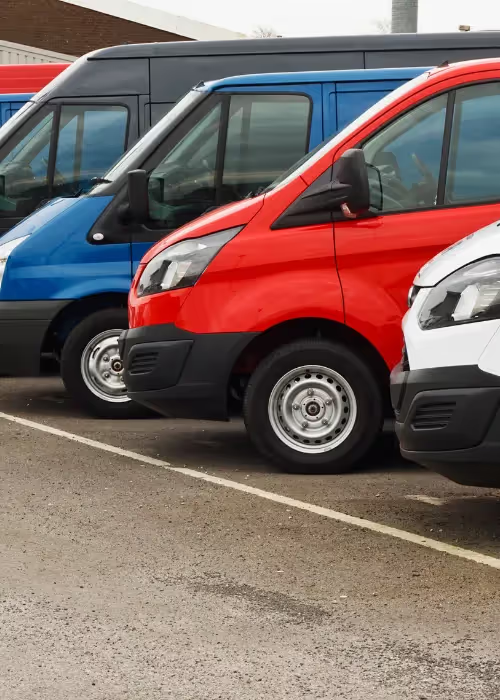
Best Dash Cams for Work Trucks & Vans
Quick answer: The best dash cam for a work van records clear HD video through a wide-angle lens, is hardwired so it keeps watching while the van is parked, and is installed by a professional. If your vans are shared between drivers or on the road all day, choose a connected camera with a driver-facing lens and instant alerts.
Work vans rarely have a quiet day. One van might back into a tight loading dock, wait curbside outside a customer's home, pull out of a busy job site and spend an hour on the highway, all before lunch. Different people often drive it from one week to the next, and it's parked in places you can't keep an eye on.
That's a lot of opportunities for dings, fender benders and disputes. A dash cam gives you an objective record of what happened, so you're not relying on memory or someone else's version of events.
What does a dash cam do for your van?
A van dash cam mounts on the windshield and records the road ahead while the van is moving. Some systems add a second camera that faces the driver.
For a business, that footage helps in three main ways:
- Evidence after a collision: you have video to share with your insurer, the police or a customer.
- Support for your drivers: footage backs up their account when another driver is at fault.
- Coaching opportunities: real footage gives you specific moments to talk through with a driver, rather than general concerns.
Why you should install a dash cam in your van
Work vans face their own mix of risks during a typical day. These are the situations where a dash cam makes the biggest difference.
Fender benders in tight spaces - Parking lots, loading docks and narrow streets leave little room for error. When two vehicles touch, footage shows who moved into whom.
Disputes at intersections - If another driver says your van ran a light or changed lanes without looking, video of the moments before the collision gives your insurer clear evidence to work with.
Damage while parked - Work vans often sit overnight at job sites, on the street or in a driveway. A hardwired camera with parking mode keeps watching while the engine is off and records if something hits the van.
False claims - If another driver claims your van caused a collision it didn't, video gives you hard evidence to push back. That's especially valuable when it's your driver's word against someone else's.
Complaints about your drivers - A van with your logo on the side is easy to call in. When someone complains about how it was driven, footage lets you check what actually happened before you respond.
Disputes between shared drivers - When several people drive the same van, it's not always clear when a dent showed up. A driver-facing camera shows who was behind the wheel at the time.
RAM's van dash cams: Thinkware F70 and Queclink CV200
RAM uses two cameras across its three RAM Live packages. Both are installed by a RAM technician as standard.
Thinkware F70: dependable recording for everyday vans
Comes with: the SD package
The Thinkware F70 is a compact, forward-facing camera that records to a 32GB SD card. It holds around four hours of footage on a loop, and you pull the card to review footage after an incident.
- Full HD video: it records in 1080p through a 140° wide-angle lens, capturing both sides of the road.
- Automatic impact recording: a built-in G-sensor saves footage when it detects a collision.
- Parking mode: once hardwired, the camera keeps watch while the van is parked and records if something hits it.
Best for: contractor and service vans that return to the yard every night, where swapping out an SD card is easy.
Queclink CV200: connected recording for vans on the move
Comes with: the Live Alert and Live Vision packages
The Queclink CV200 is a 4G connected dash cam that combines video with GPS positioning and full telematics in a single unit. A Full HD camera records the road ahead, while a second camera faces the driver.
- Driver-facing camera: shows who was driving and what was happening in the cab, which helps when vans are shared.
- Instant alerts: hard braking, impacts and other driving events send a notification to the web portal and app.
- Plenty of storage: 256GB holds around 60 hours of footage, enough for several long shifts.
- Optional AI monitoring: with Live Vision, an AI add-on alerts drivers in the cab to phone use, smoking, drowsiness and distraction.
The two packages differ in how you access footage. Live Alert notifies you right away, but the video itself is pulled from the camera's SD card. Live Vision adds live streaming and remote video downloads, so you can review footage without bringing the van in.
Best for: vans on the road all day or spread across several locations, where you need to know about incidents as they happen.
Not sure which type is right for you? Our guide to connected vs. unconnected dash cams breaks down the differences.
What to look for in a van dash cam
- Full HD video: 1080p or higher, so license plates and road signs are readable.
- A wide-angle lens: around 140° captures both sides of the road, including cyclists and cars pulling out.
- Hardwired installation: this powers parking mode and means the camera can't just be unplugged from the cab.
- Storage that matches your shifts: four hours of SD storage suits short local routes, while long days on the road need more.
- A driver-facing camera for shared vans: this shows who was driving and what was happening in the cab.
- Professional installation: windshields vary in size and shape between van models, so a technician can find the right spot for each one.
Are van dash cams legal in the US?
Dash cams are widely used across the US, but each state sets its own rules about what can be mounted on a windshield. California, for example, limits windshield-mounted video recorders to specific areas, such as a 7-inch square in the lower corner farthest from the driver or a 5-inch square at the top center of the windshield.
Because the rules vary, professional installation is the safest way to make sure each camera sits in a compliant position. If your vans have driver-facing cameras, it's also good practice to explain in your vehicle policy what's recorded, when and why.
Ready to protect your vans?
The right van dash cam depends on how your vans are used, how many people drive them and how quickly you need footage. To find out which RAM Live package fits your fleet, book a demo and our team will walk you through the options.
Van dash cam FAQs
Should I choose a forward-facing or driver-facing camera for my van?
A forward-facing camera records the road ahead and covers most collisions and disputes. If several people drive the same van, or you want to see what's happening in the cab, a driver-facing camera adds that view. RAM's Live Alert and Live Vision packages include both.
Do van dash cams record when the van is parked?
They can, as long as the camera is hardwired and parking mode is turned on. The camera then records when it detects an impact, even with the engine off.
How much footage does a van dash cam store?
RAM's SD package stores around four hours of footage on a 32GB card. Live Alert and Live Vision store around 60 hours on 256GB. All cameras record on a loop, so the oldest footage is overwritten once storage is full.
Can I install a van dash cam myself?
Some plug-in cameras are simple to install yourself, but hardwiring is best left to a technician. Every RAM dash cam package includes professional installation, so each camera is positioned correctly and wired safely.
Will a dash cam lower my commercial auto insurance?
It depends on your insurer, so it's worth asking your provider directly. Either way, footage can help you show you weren't at fault in a claim. Our guide to dash cams and insurance explains how video evidence can support your claims.
Can a van dash cam show where my van is?
The Queclink CV200 records location with each clip, and RAM's dash cams work alongside van tracking to show every van on a live map. For more on combining video with location data, see our guide to dash cams with GPS tracking.
About the author
Richard Blown is Chief Technology Officer at RAM, where he leads product innovation and technical strategy.
With over 25 years of experience in fleet telematics and connected vehicle technology, Richard has pioneered solutions that bridge the gap between theoretical safety improvements and practical business benefits.
His hands-on approach to product development ensures RAM's solutions solve real-world problems faced by fleet operators across the US.
Reduce costs, improve visibility, and keep your business running efficiently with RAM solutions.