Job scheduling software for field service teams
When your team is spread across multiple jobs and sites, one wrong move disrupts the whole day. Our scheduling software keeps you ahead of it.
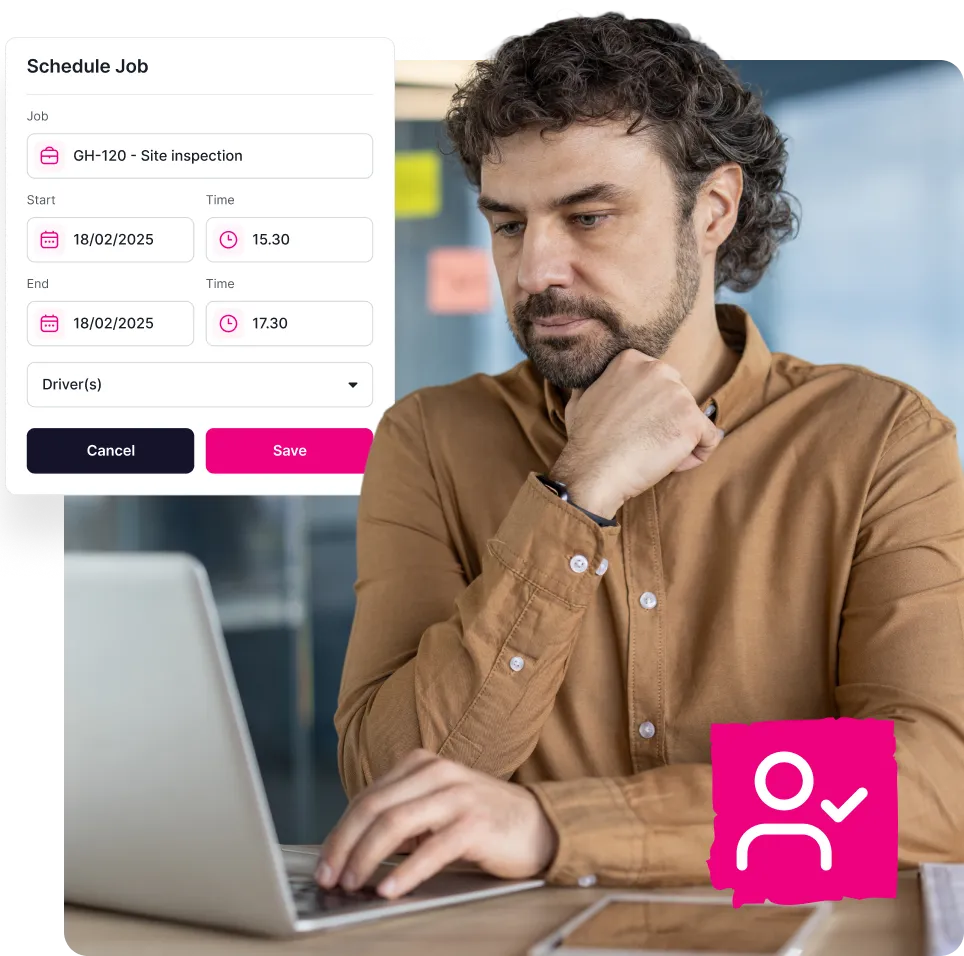

The real cost of poor job scheduling
Managing a field team without the right tools means every day starts with uncertainty. Job management software brings your job scheduling into one place.
Here’s what businesses deal with when scheduling isn’t working:

Scheduling conflicts
Engineers get booked into two jobs at once, and there’s no way to spot the clash until a customer rings to ask where they are.
No visibility
Time is wasted calling round to find out who’s free and where they are before you can plan the day. Job tracking shows you at a glance.
Schedule chaos
A single late change to one job can throw the whole day’s schedule out, with knock on delays for every customer after it.
Wrong engineer assigned
Jobs go to the wrong person because skills and availability aren’t visible in one place. For HVAC engineers with specialist qualifications, that can mean a wasted visit.
Complete visibility of your team
Team scheduling control
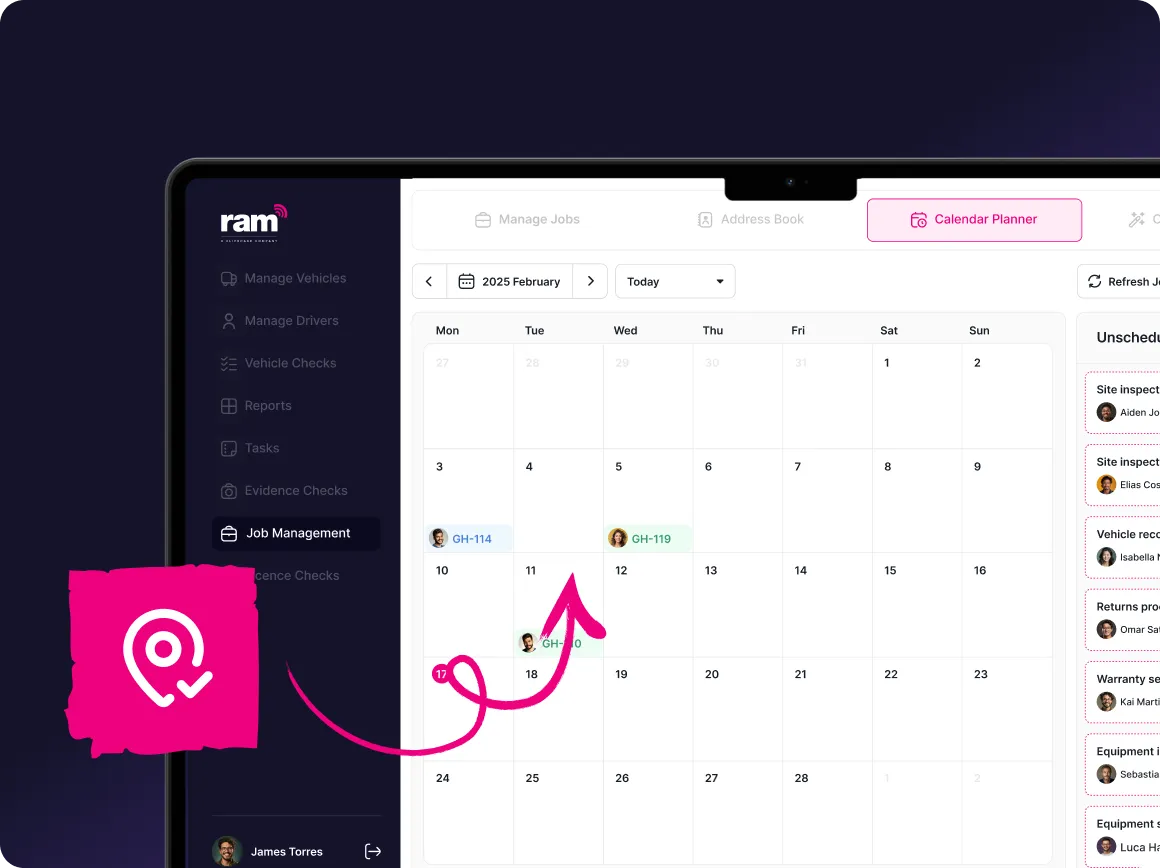
See every engineer’s schedule, location, and availability in one view. No more guessing who’s free or calling around to check, as the information is there when you need it.
- View engineer schedules, location, and availability in one place
- Filter engineers by skills, location, and availability
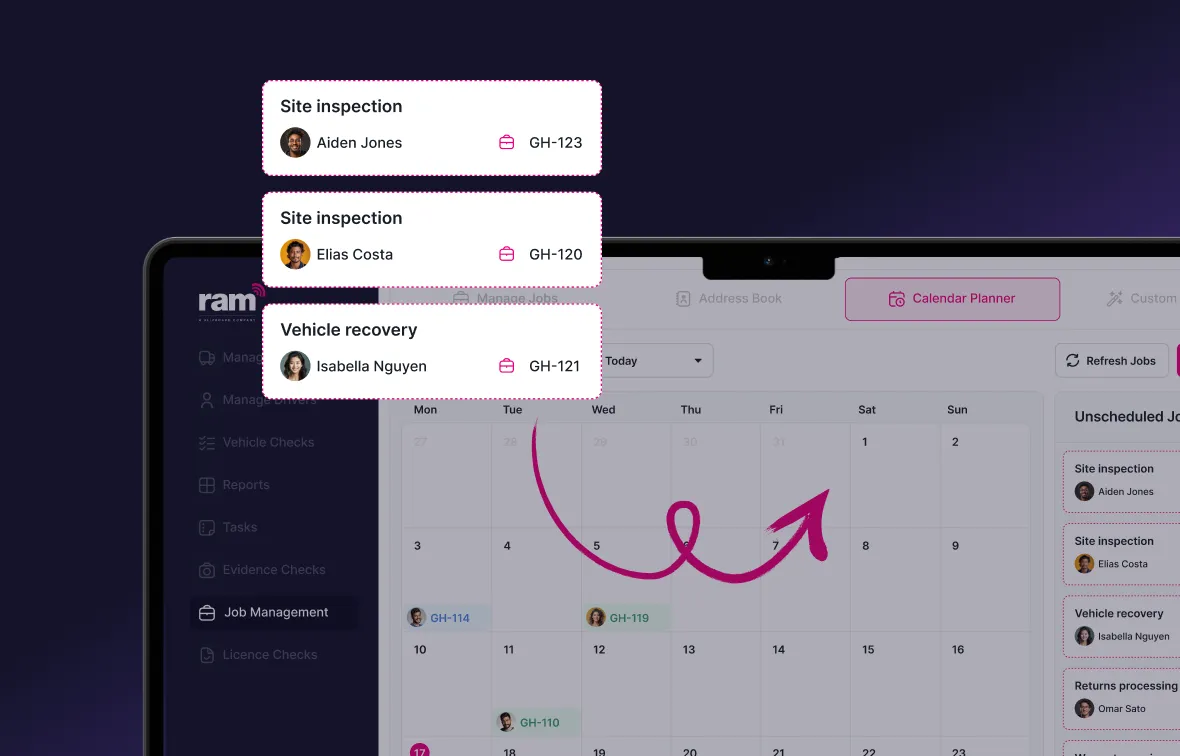
- Quickly adjust schedules using a drag-and-drop calendar
- Evidence helps remove back-and-forth that delays payment
- Customers automatically receive ETAs and job updates
- Efficient scheduling reduces gaps between jobs
Benefits of job scheduling
Complete more jobs
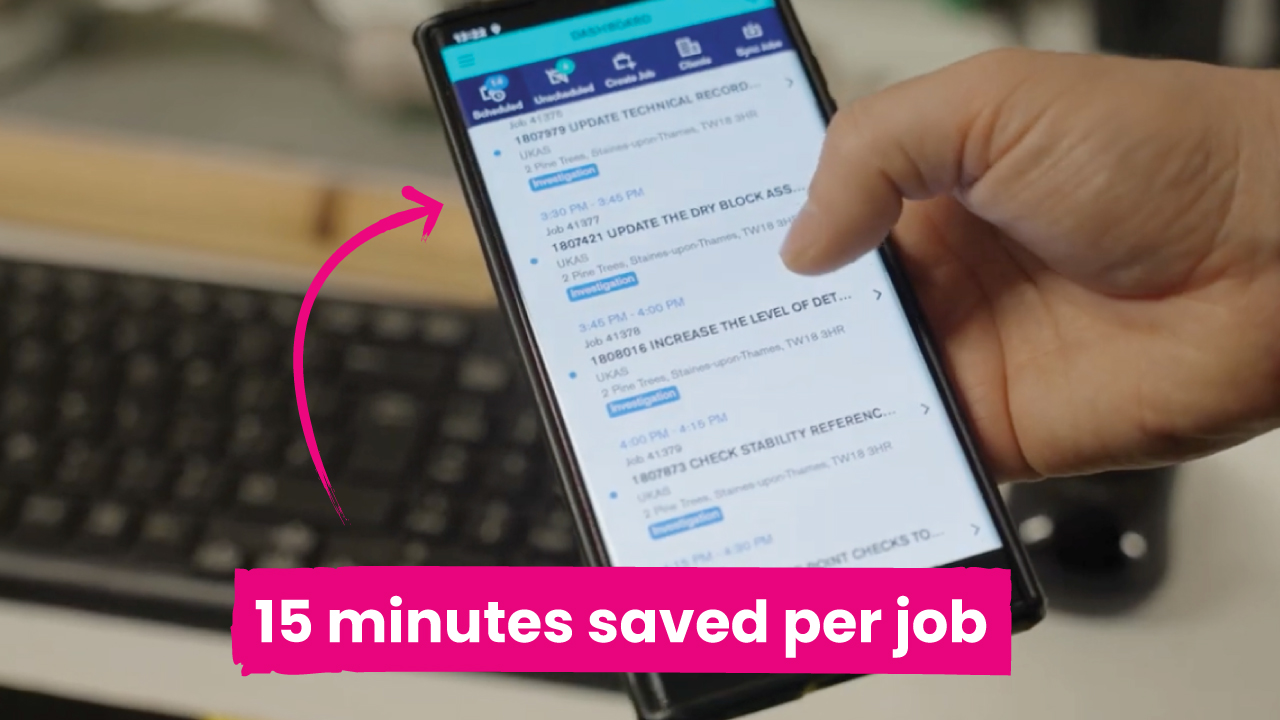
Smarter job scheduling cuts the wasted time between jobs. Businesses using our scheduling software complete two to three more jobs per day by closing the gaps left by manual planning.
Full audit trails
Every schedule change is logged, so you can see who was assigned what and when jobs were updated. Combined with digital job sheets, you have a complete record for performance reviews or customer queries.
Assign the right engineer
Filter by skills, location and availability to send the right person to every job, for faster response times. With asset management, engineers can also check an asset’s service history before they arrive.
Handle last-minute changes
If a job runs over or an engineer calls in sick, reassign work in seconds using the drag and drop calendar. Changes update straight away on the engineer’s phone through the job tracking app.
Keep customers in the loop
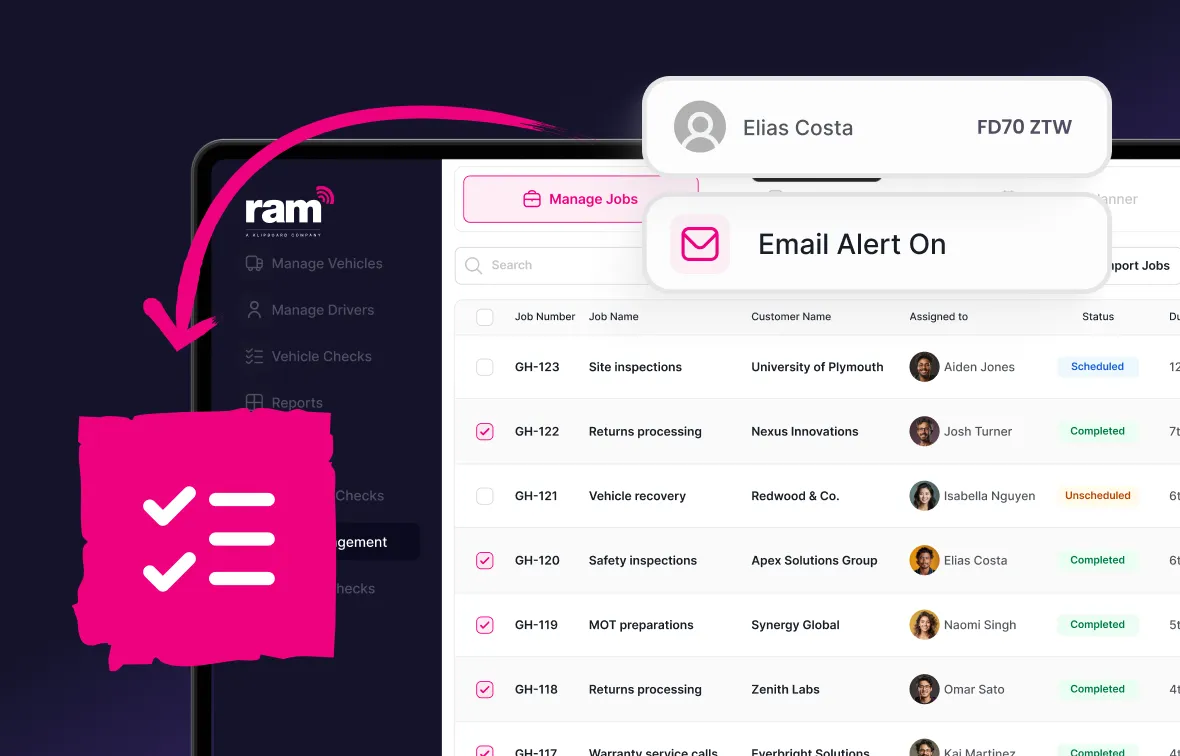
Automated ETAs and job status updates go out as soon as a job is assigned or changed, cutting down on calls from customers asking for updates.
Complete visibility of your team
See every engineer’s schedule, location and availability in one view, so there’s no more guessing who’s free. If you also use vehicle tracking, you can see where each van is on the road too.
How job scheduling works
Create a job
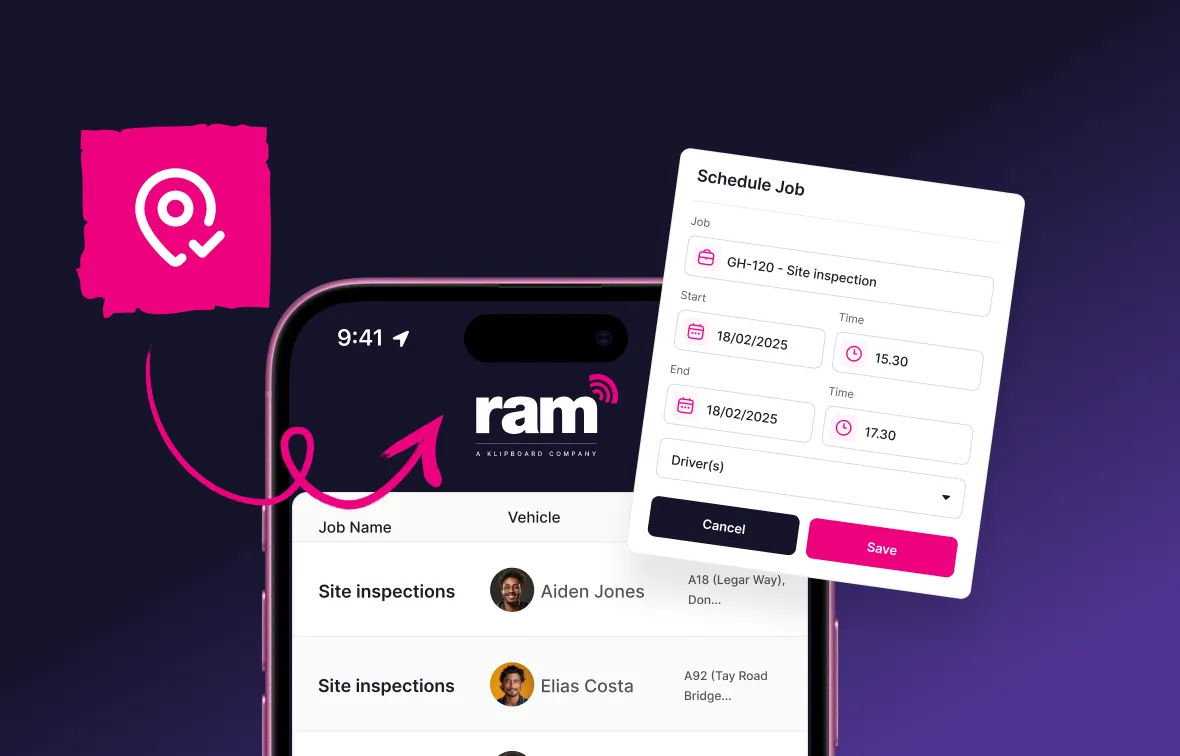
Assign with drag and drop
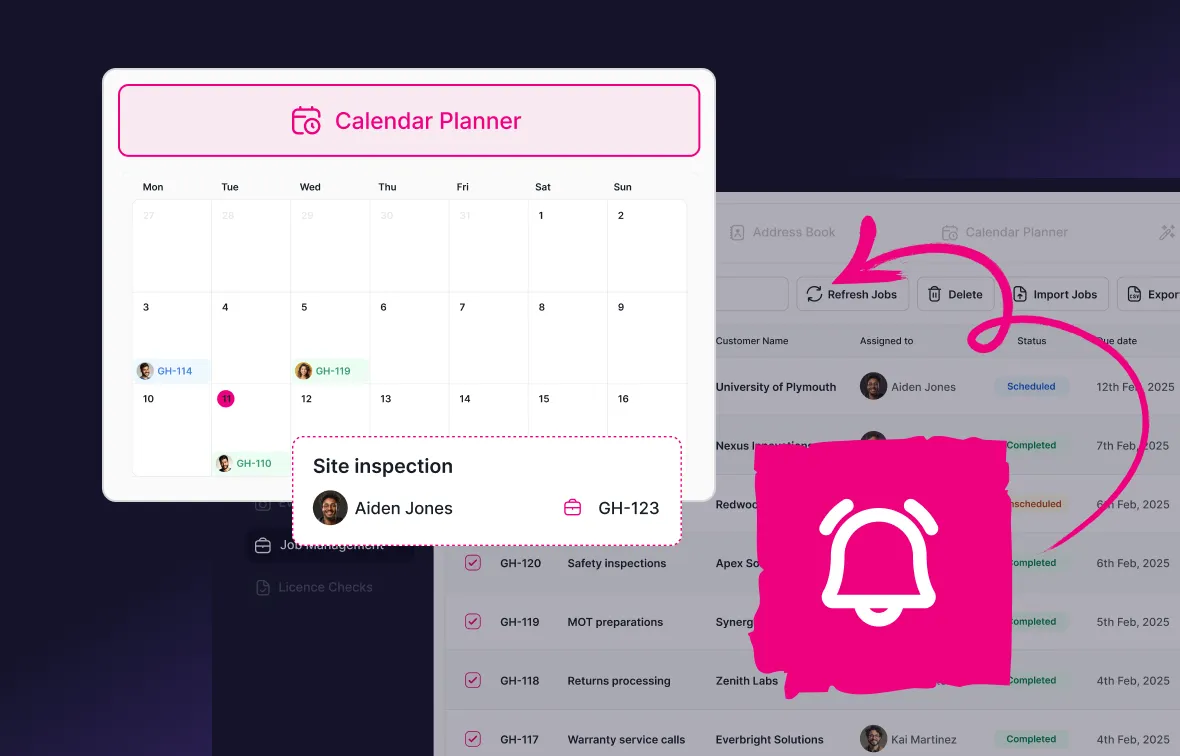
Adapt as the day changes
Track progress in real time
What our customers say




Why choose RAM for job scheduling?
Trusted by 23,000+ businesses
Free lifetime training
All-in-one platform

RAM has been helping businesses manage their fleets for over 20 years.
Explore more RAM Job Management features
Job scheduling is just one part of our job management system. Here's what else it can do:




Job management software
Built for businesses where work happens in the field.
Keep your fleet roadworthy with automated maintenance tracking and reminders.
- Full vehicle service history accessible in one place
- Track service history digitally for every vehicle
- Set reminders based on mileage intervals or dates

Frequently asked questions about job scheduling software
Job scheduling software is a digital tool that lets managers plan, assign, and manage work for a field team from a central dashboard. Rather than relying on phone calls, spreadsheets, or whiteboards, everything is handled in one place.
Engineers receive job details directly on their phones and managers see real-time updates as work progresses.
Job scheduling software focuses specifically on planning and assigning work, matching the right engineer to the right job at the right time.
RAM Job Management covers the full lifecycle of a job, from scheduling through to digital job sheets, evidence checks, invoicing, and payment. Our platform includes both as part of the same solution.
Yes. The scheduling dashboard lets you filter engineers by skills, availability, and current location so you can always assign the most suitable person to each job. For businesses managing specialist trades, this is particularly useful for avoiding costly mismatches.
The calendar shows every engineer's schedule for the day or week, with their available time slots clearly visible. You drag a job into an empty slot to assign it, and the engineer is notified immediately on their phone. If plans change, you drag the job to a different slot or engineer and they’ll be updated straightaway.
Reassigning a job takes seconds. Find the job in the calendar, drag it to a different engineer or time slot, and the change is pushed to both engineers' phones instantly. This ensures there’s no confusion about what they should be working on.
Yes. Automated customer communications can be sent when a job is confirmed, when an engineer is on their way, and when a job is completed. This reduces inbound calls chasing for updates and gives customers a more professional experience.
Start scheduling smarter today
Stop managing your team on phone calls and spreadsheets. Our job scheduling software gives you the visibility and control to get more done every day.